Posted on 01/27/2008 6:57:51 AM PST by Mo1
I’ll let you talk to Darks as soon as I let him out of time out....:P
Spare body parts?
Umm.. nope, I don't know nothin'.
*get back in that box!*
Did I say you could get out of that corner? 5 more minutes for you, Darks! :P
There are no corners where the walls all curve.
If the eyes are the windows of the soul, what happens when they break?
*heh heh heh*
Lol! Smartypants! :P
;-)
Gotta head to work tonight.
See everyone at some point.
It’s a pane?
That vid was bad, but I liked it.
“Fudge packer” or “Candy, little girl”?
how do you put images on your posts?
That is GREAT! LOL! Thank you, RatBoy!!!
(In all cases remove the space between the < and the following character)
Basic formatting:
Line break < br>
Paragraph break < p>
< u> underline < /u>
< i> italics < /i>
< b> bold < /b>
< font color=red> Red font < /font>
< blink> < /blink>
< font size=1>Smallest FR font< /font> Displays as:
Smallest FR font
< font size=7>Largest FR font< /font> Displays as:
Largest FR font
Or
Step font size up or down with < big>bigger< /big>
and < small>smaller< /small>
"Hidden" text: < font color=white> White font < /font>
Drag cursor over blank area to highlight to read...
Posting a link:
General:
< a href=[web address]>[title]< /a>
Example:
This: < a href=http://www.freerepublic.com/focus/f-news/1179145/posts>Iran starts atom tests in defiance of EU deal< /a>
Posts as this:
Iran starts atom tests in defiance of EU deal
Posting an image:
General:
< img src="[web server location]">
Clarity is needed - you can't just snag a favorite picture from a desktop folder...it has to be hosted someplace to be transferrable to our posts. ~ ErnBatavia
Example:
This: < img src="http://www.notablebiographies.com/images/uewb_09_img0611.jpg">
Posts this:
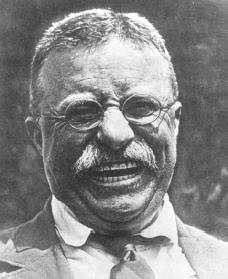
Tip: control the size with "height=nnn" like so:
This: < img height= 200 src="http://www.notablebiographies.com/images/uewb_09_img0611.jpg">
Posts this:
While This: < img height= 100 src="http://www.notablebiographies.com/images/uewb_09_img0611.jpg">
Posts this:
We need you, here:

Find a picture you want to post, and right click it, and then click 'save as'. (Type in anything you want in the box. Just write it down - or be sure to remember the name of your picture.)
Then click 'save' and it is now in your compter.
Then type in 'http://www.tinypic.com/' into your browser.
When it opens up - click browse.
Browse will take you to your picture file.
Type in the name of your picture in the box.
Click "open".
Then you will be brought back to tinypic.
Click "upload"
When it is uploaded, you will see the picture on the right of your screen. (This usually takes a minute or two.)
There will be four ways to "COPY" it.
Click on the last (fourth) one. It will turn blue.
Go to edit and copy it. (Or, right click, and click copy.)
Now, your picture is ready to post.
In the 'post' box, you must enclose what you copied with this "<" followed by "img src=" and this ">"
After you put the first arrow (<), type "img src=" without the quotes.
Then click paste, and the link will appear, right after the "=".
Just remember to close it with ">" without the quotes.
Here is what it should look like:
Click preview. If it is too big - well, we will talk about that later.
Hope I helped, some. ;-)
It might help to print this out - and follow it step by step. After awhile, you won't need the printed copy.
~yorkie
Candy, little girl?
Sharky!
are all the libs gone? ;o)
your fault!
Hey!
Especially lie-berries.
Disclaimer: Opinions posted on Free Republic are those of the individual posters and do not necessarily represent the opinion of Free Republic or its management. All materials posted herein are protected by copyright law and the exemption for fair use of copyrighted works.