Skip to comments.
Reclusive Gene Hackman, 93, looks fit in first sighting in years
NY Post ^
| March 7, 2023
| Andrew Court
Posted on 03/07/2023 1:04:37 PM PST by dennisw
Talk about good Genes.
Hollywood legend Gene Hackman proved he’s still in tip-top shape as he performed yard work at his ranch in Santa Fe, New Mexico, on Sunday.
The “Unforgiven” actor — who celebrated his 93rd birthday in January — looked fit and healthy as he brandished a shovel at his private estate.
Earlier in the day, the two-time Oscar winner was spotted fueling up for physical labor at a local Wendy’s, where he ordered a meal at the drive-thru.
Hungry Hackman chowed down on his chicken sandwich in the fast food franchise’s parking lot before pumping gas at a nearby station.
It was a rare sighting of the reclusive and retired star, who was last seen on-screen in the 2004 comedy “Welcome to Mooseport.”
(Excerpt) Read more at nypost.com ...
TOPICS: Health/Medicine; Music/Entertainment
KEYWORDS: genehackman
Navigation: use the links below to view more comments.
first previous 1-20, 21-40, 41-60, 61-80 ... 101 next last
To: ProtectOurFreedom
One of his great lines: l’ll be impressed if you’re still alive at the end of the day”. Well how about 93 years.
To: dennisw
Must have the same genes as Gordon Lightfoot...
(no pun intended)
22
posted on
03/07/2023 1:26:04 PM PST
by
RckyRaCoCo
(Please Pray For My Brother Ken.)
To: dennisw
To me he’ll always be the blind hermit in “Young Frankenstein.”
To: dennisw
According to his Wikipedia biography, he was on Nixon’s “enemies list.” There can’t be many people who were on that list who are still alive.
To: Williams
25
posted on
03/07/2023 1:29:16 PM PST
by
fretzer
To: dennisw
Sorry but I could not re-size the above photo of Gene eating his fillet-o-fish sandwich. Quick image resizing lesson.
You can use the modifier width="xxx" to make an image xxx pixels wide. Aspect ratio of the image will remain the same.
Or you can use the modifier height="xxx" to make the image xxx pixels high. Aspect ratio of the image will remain the same.
Or you can use the modifier width="xx%" to make the image xx% of the width of the browser window. This is handy as it will automatically resize the image to whatever size the browser window happens to be.
So, typing <img src="https://nypost.com/wp-content/uploads/sites/2/2023/03/NYPICHPDPICT000007831829-1-edited.jpg" width="200"> gives us:

And typing <img src="https://nypost.com/wp-content/uploads/sites/2/2023/03/NYPICHPDPICT000007831829-1-edited.jpg" width="75%"> gives us:
The first image will remain 200 pixels wide no matter the size of the browser window. The second image will automatically resize to 75% of the width of the browser window as you resize the browser.
There ends today's HTML lesson. (Mostly because I've now exhausted my HTML knowledge...)
26
posted on
03/07/2023 1:29:33 PM PST
by
Yo-Yo
(Is the /Sarc tag really necessary? Pray for President Biden: Psalm 109:8)
To: dennisw
the option that you add to your image is
width=500
to make it pretty fair sized for FR. The one you posted was
width=2500
approximately.
27
posted on
03/07/2023 1:32:30 PM PST
by
mairdie
(Grandfather Jack Bell - miner, reporter, lawman, naturalist - https://youtu.be/Dnnb63UEk9c)
To: dennisw
 "Whatever you do, don't sell that cow!"
To: Mr Rogers
Thanks!! Gene at age 93 rolling up to the fast food window in his truck, to get and eat (they said) a fried chicken sandwich. My father made it to 94 and he was nowhere near as mobile. We were just happy to have him around. He complained about nothing. And he smoked for about 50 years. But not for his last 20 years.
Except that his friends were not around anymore. (outlived them)
29
posted on
03/07/2023 1:34:37 PM PST
by
dennisw
("You don't have to like it. You just have to do it")
To: Disambiguator
“I was going to make Espresso!”
30
posted on
03/07/2023 1:35:53 PM PST
by
Bloody Sam Roberts
(You can never have enough clamps. Thanks Ben.)
To: mairdie
the option that you add to your image is
width=500
_______
But how about the length proportionately? What do you do?
31
posted on
03/07/2023 1:36:34 PM PST
by
dennisw
("You don't have to like it. You just have to do it")
To: Disambiguator
To me he’ll always be the blind hermit in “Young Frankenstein.” That was THE funniest scene in the movie...and it had many great scenes.
32
posted on
03/07/2023 1:37:38 PM PST
by
newfreep
("There is no race problem...just a problem race")
To: dennisw
33
posted on
03/07/2023 1:38:16 PM PST
by
Leaning Right
(The steal is real.)
To: Yo-Yo
Thanks! So the image resizes length automatically and in proportion........
34
posted on
03/07/2023 1:38:29 PM PST
by
dennisw
("You don't have to like it. You just have to do it")
To: Ransomed
His best movie ever was “Night Moves.”
35
posted on
03/07/2023 1:40:03 PM PST
by
cpdiii
(cane cutter-deckhand-roughneck-oil field trash- drilling fluid tech-geologist-pilot- pharmacist)
To: dennisw
Only if you specify one parameter (width or height,) or use the percentage width option.
You can also specify both width and height (example: width="250" height="500") and then you will whack up the aspect ratio.
I've had to do that a couple of times when an original image's aspect ratio was off and my OCD couldn't cope with that.
36
posted on
03/07/2023 1:43:58 PM PST
by
Yo-Yo
(Is the /Sarc tag really necessary? Pray for President Biden: Psalm 109:8)
To: dennisw
37
posted on
03/07/2023 1:45:15 PM PST
by
mairdie
(Grandfather Jack Bell - miner, reporter, lawman, naturalist - https://youtu.be/Dnnb63UEk9c)
To: EvilCapitalist
Lex Luthor was my first impression of Hackman. But the most memorable one to me was him as Reverend Scott in the Poseidon Adventure.

38
posted on
03/07/2023 1:46:55 PM PST
by
Tell It Right
(1st Thessalonians 5:21 -- Put everything to the test, hold fast to that which is true.)
To: Yo-Yo
“Only if you specify one parameter”
Thanks. I always thought you had to specify both. I use Microsoft Free Expression for most/75% of the HTML and photos I post here
39
posted on
03/07/2023 1:48:14 PM PST
by
dennisw
("You don't have to like it. You just have to do it")
To: Tell It Right
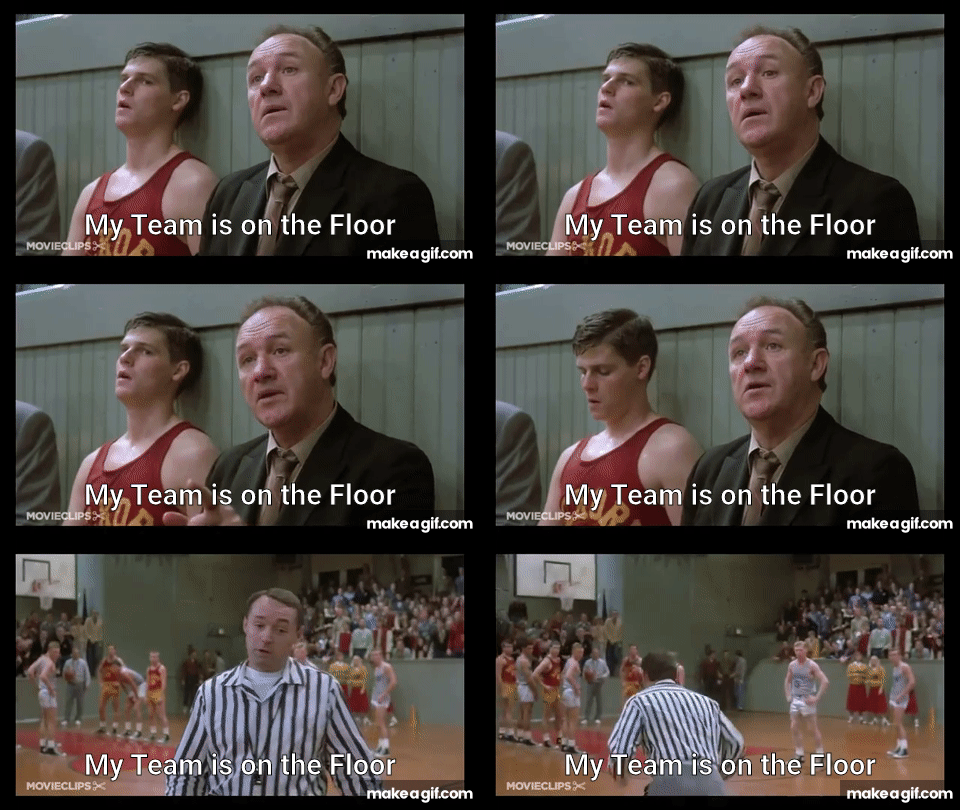
"Hoosiers" will always be my favorite...
40
posted on
03/07/2023 1:48:24 PM PST
by
dfwgator
(Endut! Hoch Hech!)
Navigation: use the links below to view more comments.
first previous 1-20, 21-40, 41-60, 61-80 ... 101 next last
Disclaimer:
Opinions posted on Free Republic are those of the individual
posters and do not necessarily represent the opinion of Free Republic or its
management. All materials posted herein are protected by copyright law and the
exemption for fair use of copyrighted works.
FreeRepublic.com is powered by software copyright 2000-2008 John Robinson