Does it prevent you from doing a simple Internet search such as, How do I turn off all windows telemetry?
When Bitlocker shows up because of some problem most will not know their microsoft account or the bitlocker key.
I searched how to prevent bitlocker from ever being activated
Preventing BitLocker Activation
To stop BitLocker from being activated automatically on your Windows device, you can use several methods depending on your system configuration.
Group Policy Method
Access Group Policy Editor:
- Press
Windows + R, typegpedit.msc, and hit Enter.Navigate to BitLocker Settings:
- Go to Computer Configuration > Administrative Templates > Windows Components > BitLocker Drive Encryption.
Disable Automatic Encryption:
- Find the policy named Control use of BitLocker on removable drives and set it to Disabled.
Registry Method
Open Registry Editor:
- Press
Windows + R, typeregedit, and press Enter.Navigate to the Key:
- Go to
HKEY_LOCAL_MACHINE\SYSTEM\CurrentControlSet\Control\BitLocker.Modify the Value:
- Create or modify the value PreventDeviceEncryption and set it to True (1).
Disable Device Encryption
For devices running Windows 11 Home or Pro, you can turn off device encryption:
Open Device Encryption Settings:
- Search for Device encryption in the Windows search bar.
Turn Off Device Encryption:
- Set the option to Off and confirm your choice.
Additional Considerations
- OEM Settings: Some manufacturers allow disabling BitLocker through their own settings or tools. Check your device's documentation.
- Clean Install: If you perform a clean installation of Windows, you can use an unattended file to set PreventDeviceEncryption to True during setup.
By following these steps, you can effectively prevent BitLocker from being activated on your device.
GitHub
asus.com
See also, Is bitlocker automatically turned on during an upgrade from a previous version of Windows?
One response:
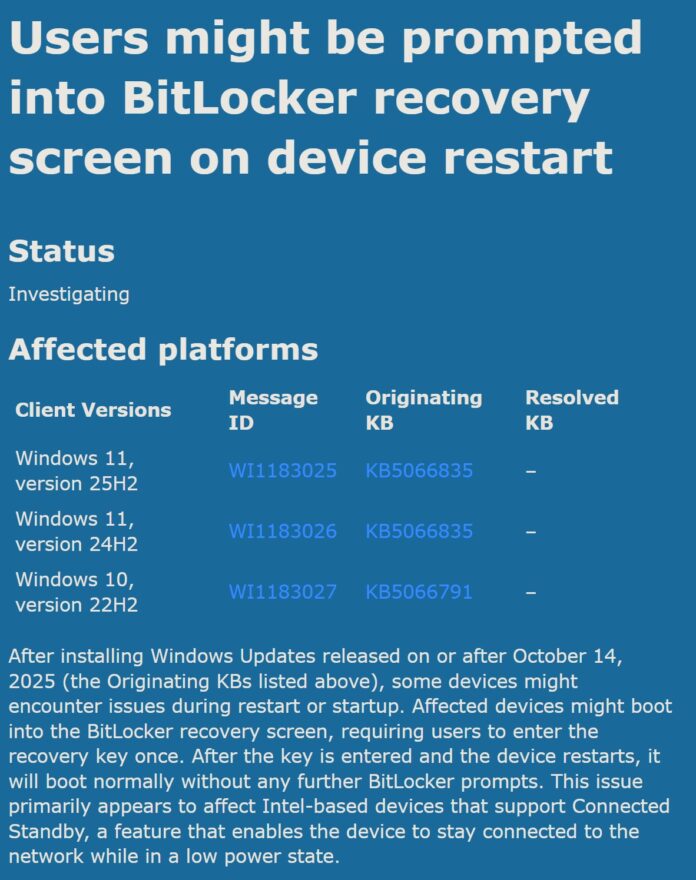
BitLocker is enabled by default in Windows 11 version 24H2 during a clean installation if you sign in with a Microsoft account. However, it is not [normally] automatically turned on during an upgrade from a previous version of Windows.However, Microsoft warns Windows 11 25H2, 24H2 October update triggers BitLocker recovery on PCs for businesses
To check if BitLocker is turned on your PC, open Settings > System > Storage > Disk & Volumes. Select ‘Properties’ under one of the volumes, and if it says ‘Encrypted’ under BitLocker, it means the feature is turned on.
But it is dangerous, thus I intend to unplug all but the system drive when updating, but again, what is to prevent you from searching or How to prevent BitLocker from being turned in Windows 11
Using a computer is like driving. There are some things you should know or find out, by the grace of God. They have now lost everything on that pc.
So you search How to back up bitlocker key Which is what I intend to do.