Meaning few who complain about hitting the capslock key do not seek solutions, but which has plenty of answers on how to do that. Not sure if they do so as to ctrl+c, which autohotkey makes easy. I will search more for proven solutions for Linux.
Honestly, having to right click, choose copy and then chose paste (for which I remap Esc or F1 or F2) is far, far slower than just hitting two keys. I also use QuickTextPaste for common fill ins. On my old PC (not used by me) which runs Mint I did remap ScrolpLock to sleep, though I forget how to I did it.
The keyboard letter keys not working sounds like a glitch.
Yes, a major one!
But you may have ended up with a bad download.
Yet the live version worked IIRC.
That is your particular distro. Mint has those options in the right click menu along with many more extra features most do not have. Now I don’t know about that distro. but in Mint you can right click your most used apps listings in the menu and send a launch icon onto your panel (tool tray) so they are handy all the time for you in your bottom panel.
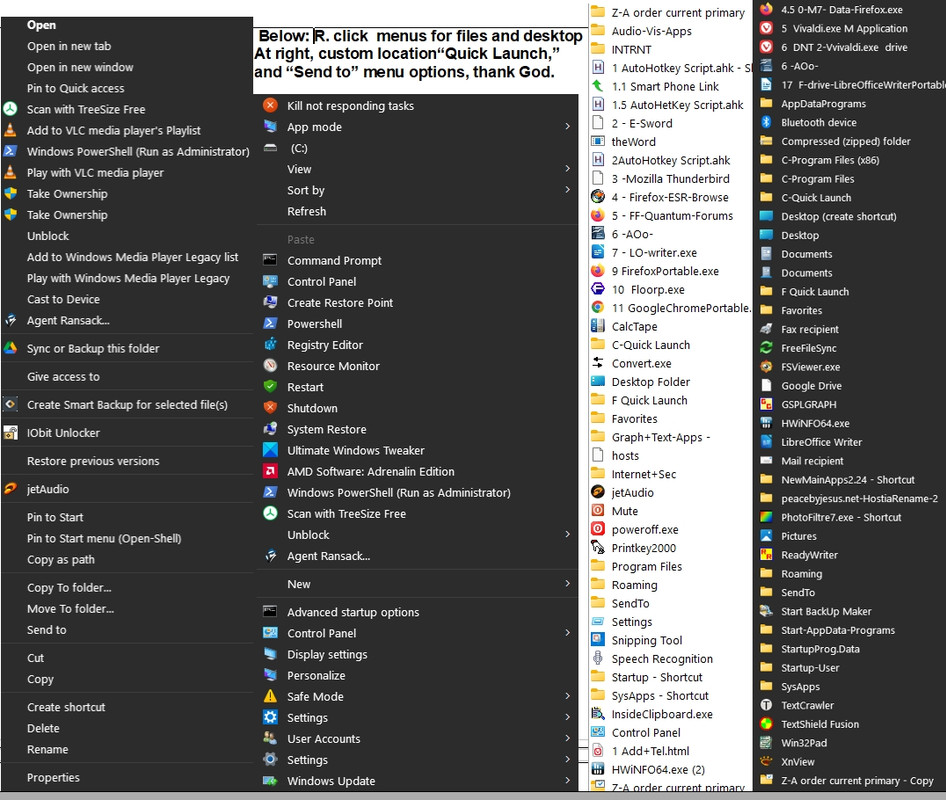
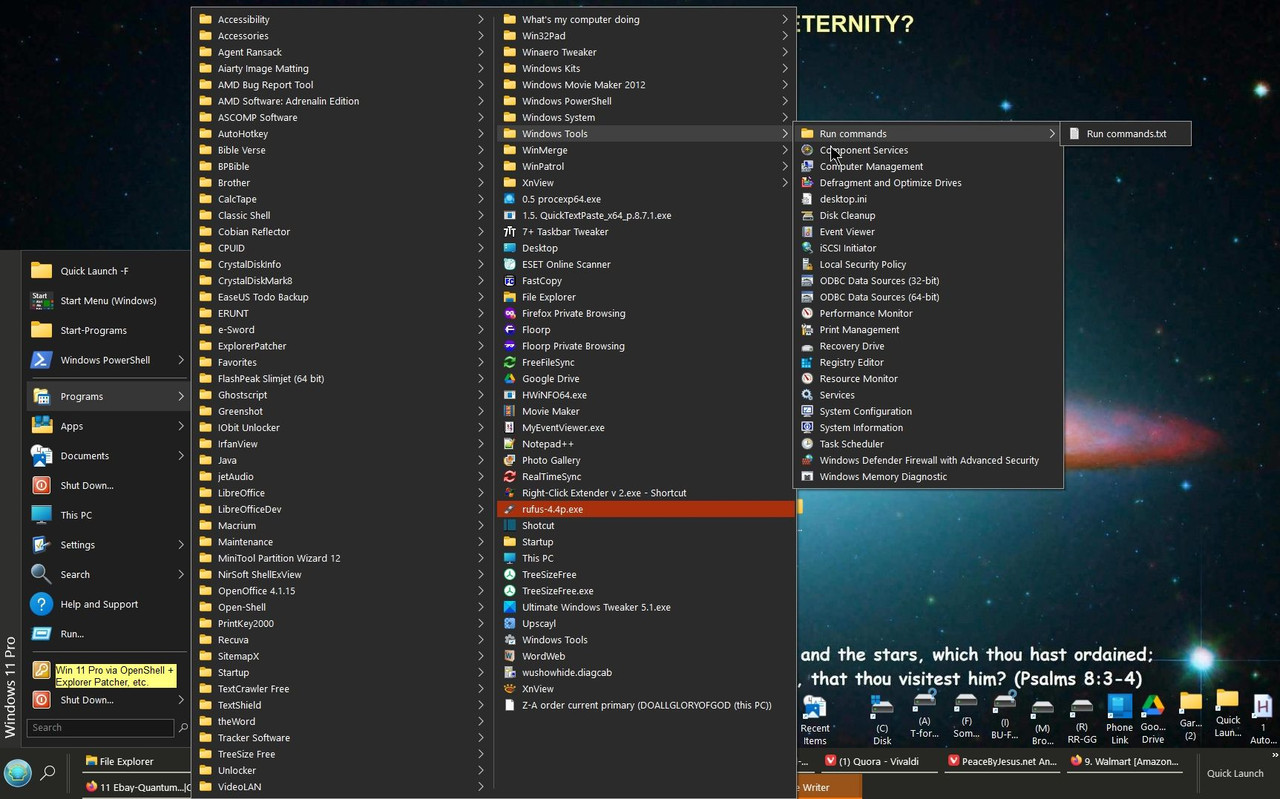
But one should be able to add to right click as well as Open With/SendTo menus, besides a Custom Start menu/Quick Launch (the latter requires Explorer Patcher for Windows to revert to W/10 shell).
That menu system was designed back when windows XP and Windows 7 were the most popular OS... It works like windows did before Win vista and 10 screwed it up.
Nothing wrong with mimicking if better, but since Win 8 and 10 were inferior, Linux should copy what the widely used OpenShell enables.
. You know you can go set the boot order in your bios to go look for that external drive first to boot from first.
Yes, but this works well as it is. No booloaders to configure or mess up. Thank God for all the good options in life.
If you want the most customizable distro it is Mint Cinnamon.
I had installed that before, and Mint 19.3 is what is installed on my old quite capable home-built (just used for the Internet), but found it lacking in desired customization, and as I read of KDE being lauded for this aspect, then I chose it. Maybe I will try to ask about this on one of their forums.
I am going to once again reiterate that you “should” have much better luck with Mint Cinnamon..
Tried to download it from the main site, but which only provided a 28 kb torrent file, by which I suppose the whole file will download perhaps, but I do not like that. Another source provided a 2.77GB file. Seems rather small to me, but I am using Rufus make a bootable USB of it.
Maybe try it next week, by the grace of God.
One thing I forgot to mention is that there are programs like easystroke which let you do things sith the mouse like open a program, close a program, go backwards and forwards through tabs, minimize, and a lot more by doing “mouse gestures” which “might just help” you with what you are trying to accomplish?
What is it you want to remap? I onow the control key, but what combo? Like do,you want ctrl+g combo to open something? If so, mouse gestures can easily do that.
Or is it a case where some key gets in the way, and you want to remap it to something that won’t mess up what you are doing?
Not sure what you are seeing, but I just went to the link you provided, and started to DL the entire iso image.
No torrent.
“But one should be able to add to right click as well as Open With/SendTo menus,”
Mint does that. But it will only do it with files that those particular options “actually apply to”. Click on an image file and it will give you image app options. Click on a document file and it will give you document app options. Or you can chose a different one other than those if you like from an “other” list. And when it actually applies to something correctly it will indeed give you the “send to” option. If you are not getting that from Manjaro then they did not set it up right as it should be.
“Tried to download it from the main site, but which only provided a 28 kb torrent file, by which I suppose the whole file will download perhaps, but I do not like that. Another source provided a 2.77GB file. Seems rather small to me, but I am using Rufus make a bootable USB of it. “
That is actually HUGE for a Linux Distro. :) Up until the newest versions of Mint it was always less than 2Gb. Some are less than 1 Gb. The one I downloaded yesterday to play with named “Slitaz’ is only 53.4 Mb. So that is correct compared to over 18Gb for Windows 10. Here is the newest version Mint and the “James Madison University” Mirror source has always been reliable for me. It downloads slower to help prevent glitches.
https://linuxmint.com/edition.php?id=319
“Yet the live version worked IIRC.”
Then it may have been the install that glitched. If you leave the external drive plugged in and boot back into the live CD, the live CD will give you the option to go autocheck and repair anything wrong with the target drive’s structure. It is your rescue/repair medium also. :)
Now in Mint Cinnamon you can create and add your own custom menus and items. Manjaro “should” let you do the same? Right click the “Start” menu button and select “configure”, then “menu”, then “open the menu editor”. There you can add what you want and create all the additional custom menus you want. New menus, new items, properties, Etc. Now after you make additional menus you Should be able to open them all at one time by holding down ALT and left clicking the items/menus. Once arranged how you like by dragging it should remember them and keep them like that for you next time. Minimizing/expanding is a factor with this when it comes to multiple items/apps.
https://softhints.com/linux-mint-19-how-to-edit-main-menu/
More customization in QT5 configuration app.
Work spaces:
https://itsfoss.com/workspaces-linux-mint/
More shortcuts:
https://www.reallinuxuser.com/great-keyboard-shortcuts-for-linux-mint-cinnamon/
https://keycombo.info/en/linux_mint_linux/select_multiple_items
Here is a handy default Mint tool that can be set up to open multiple menus at a time:
https://umatechnology.org/linux-mint-how-to-use-hot-corners/
Here you go... :)
I just found something with the capslock issue. There are settings. Now this is in Mint Cinnamon I don’t know about others.
Menu>system settings>keyboard>layouts>options>caplocks behavior:
There are 16 different options and combinations to chose from...